Topcon Suite
API Documentation
Complete API reference and integration guides for all Topcon Suite products. Choose a project below to explore the endpoints, or visit the guides for authentication and integration flows.
Projects
TopconCRM
CRM and commercial management API. Manage proposals, contracts, scheduling, visits, leads, and opportunities.
TopconTECH
Concrete technology integration API. Manage supplies, suppliers, batching plants, recipes, and material data.
TopconDispatch
Dispatch and logistics integration API. Synchronize scheduling, deliveries, load tickets, vehicles, contracts, and fiscal artifacts.
Authentication
Each Topcon Suite project uses a different authentication mechanism. Refer to the details below for the project you are integrating with.
Pass your API token in the Authorization header as Bearer {your_api_key}. Tokens are issued by your system administrator.
Pass the Ocp-Apim-Subscription-Key header with your subscription key on every request.
Pass the Ocp-Apim-Subscription-Key header with your subscription key on every request.
TopconCRM — API Key Authentication
TopconCRM uses a simple API key passed in the Authorization header.
GET /api/your-endpoint HTTP/1.1
Host: your-topcon-crm-server.com
Authorization: Bearer YOUR_API_TOKEN
Content-Type: application/jsonTopconTECH — Subscription Key
TopconTECH authenticates all requests via the Ocp-Apim-Subscription-Key header. Pass your subscription key on every request.
GET /tech-hml/your-endpoint HTTP/1.1
Host: api.topconsuite.io
Ocp-Apim-Subscription-Key: YOUR_SUBSCRIPTION_KEY
Content-Type: application/json
TopconDispatch — Subscription Key
TopconDispatch authenticates all requests via the Ocp-Apim-Subscription-Key header. Pass your subscription key on every request.
GET /dispatch/integrations/your-endpoint HTTP/1.1
Host: api.topconsuite.io
Ocp-Apim-Subscription-Key: YOUR_SUBSCRIPTION_KEY
Content-Type: application/jsonIntegration Flows
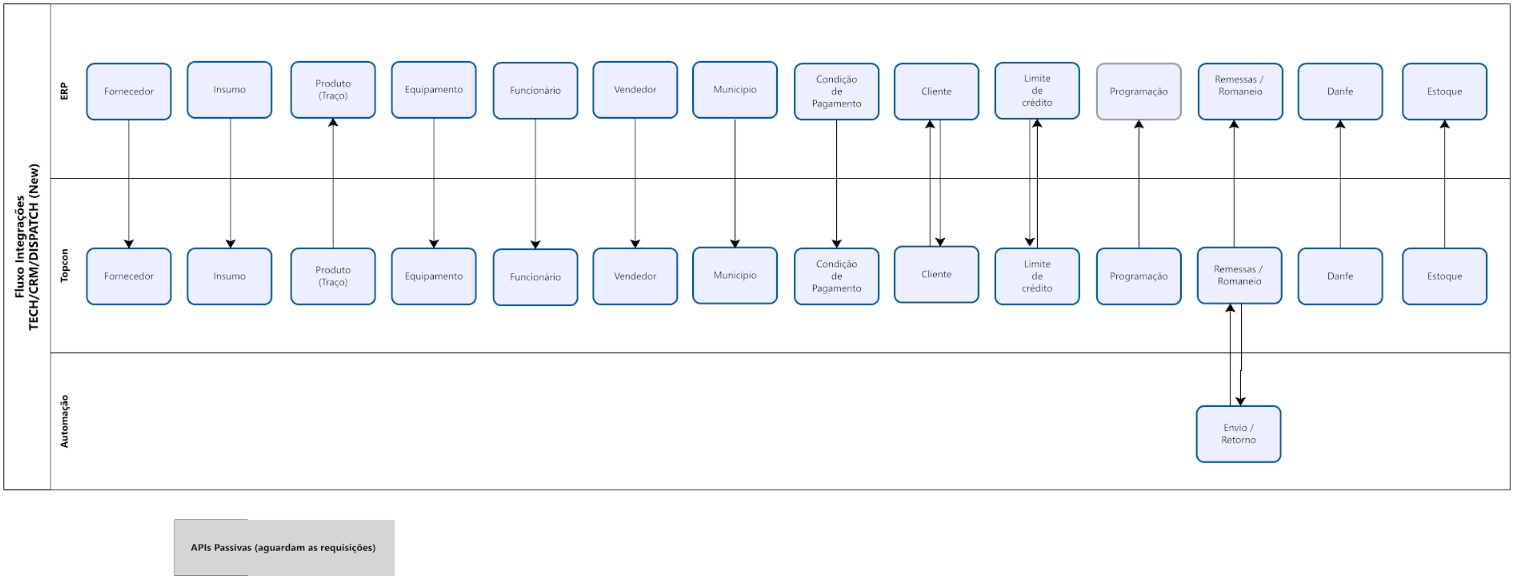
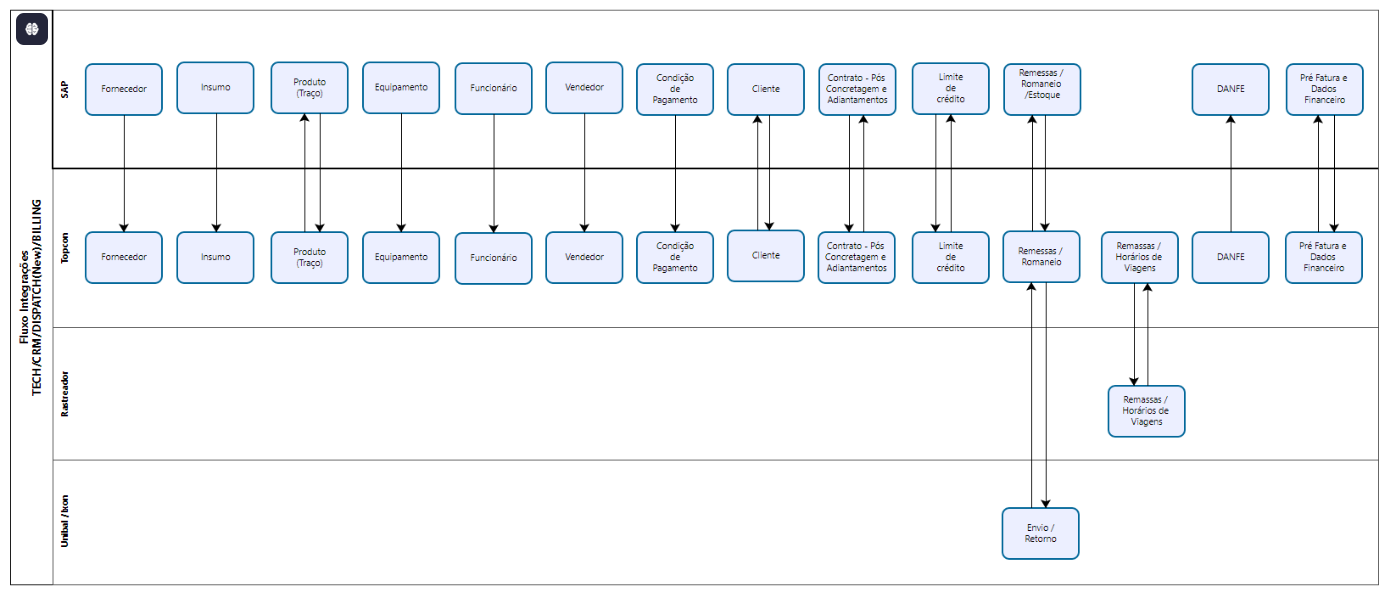
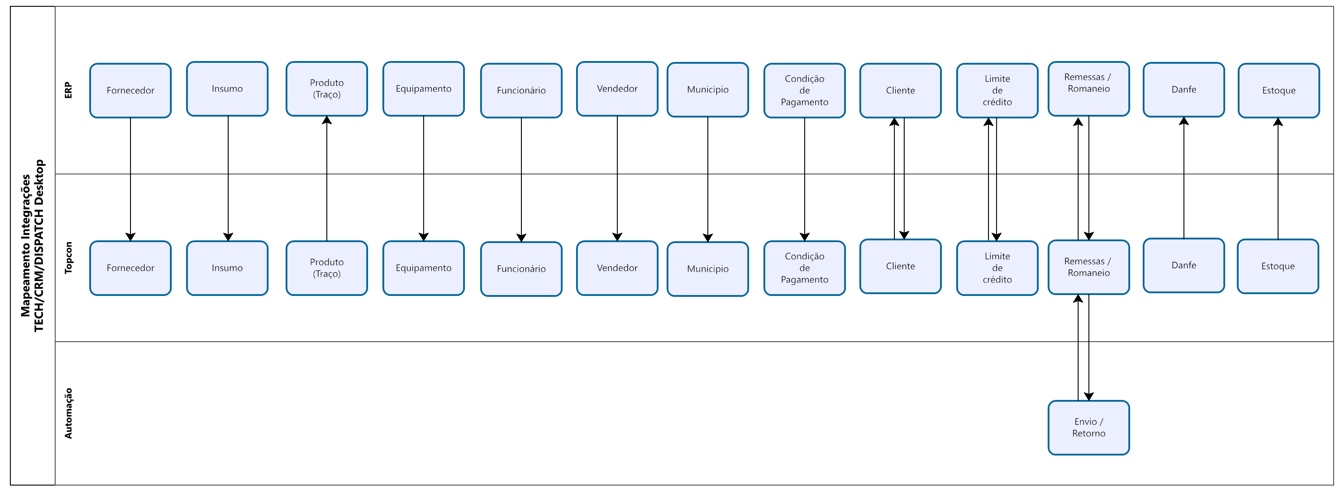
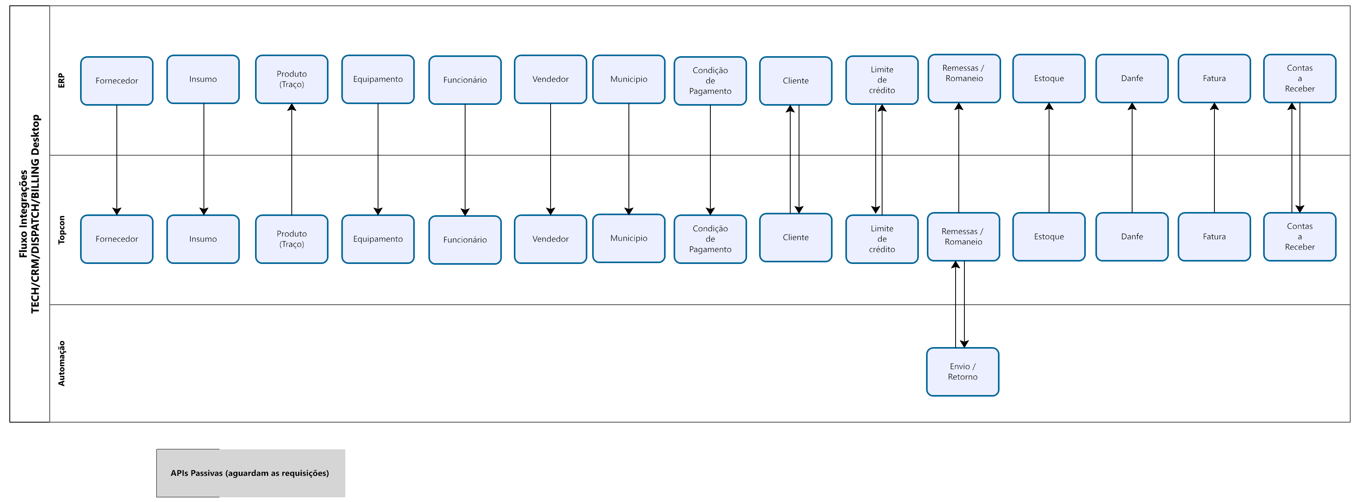
Visual diagrams showing how data flows between ERP systems, Topcon Suite products, plant automation, and external services. Click any diagram to expand it.
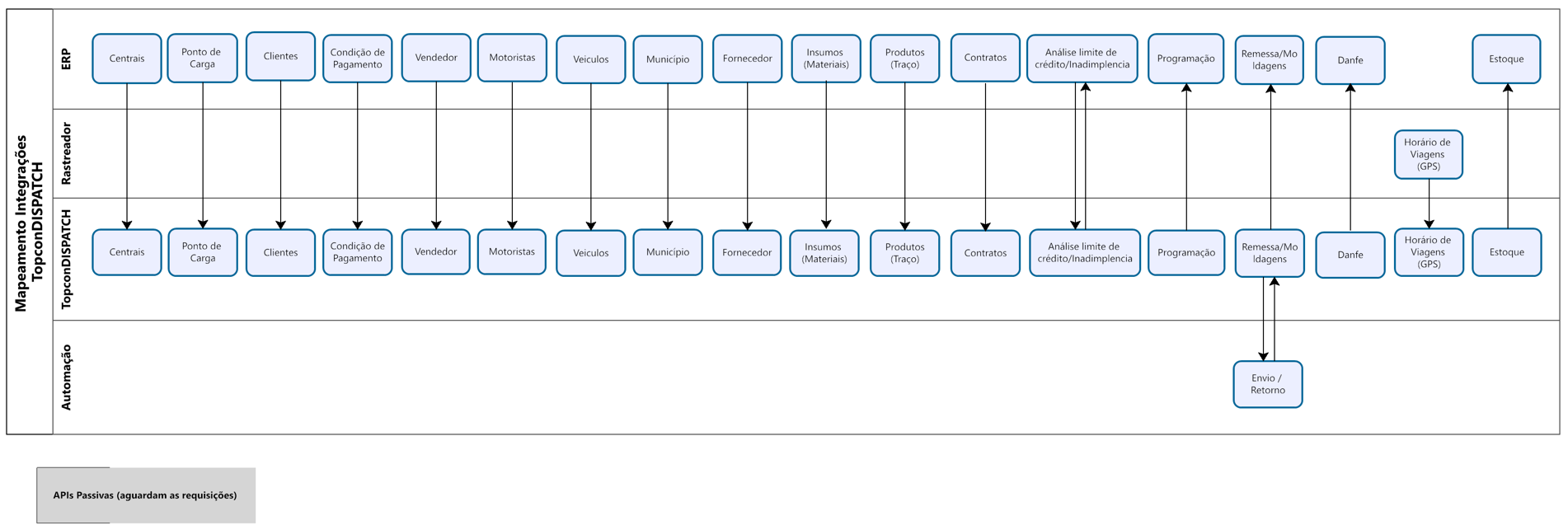
TopconDISPATCH — ERP Integration Mapping
Shows the complete data synchronization map between ERP, TopconDISPATCH, automation systems, and GPS trackers.
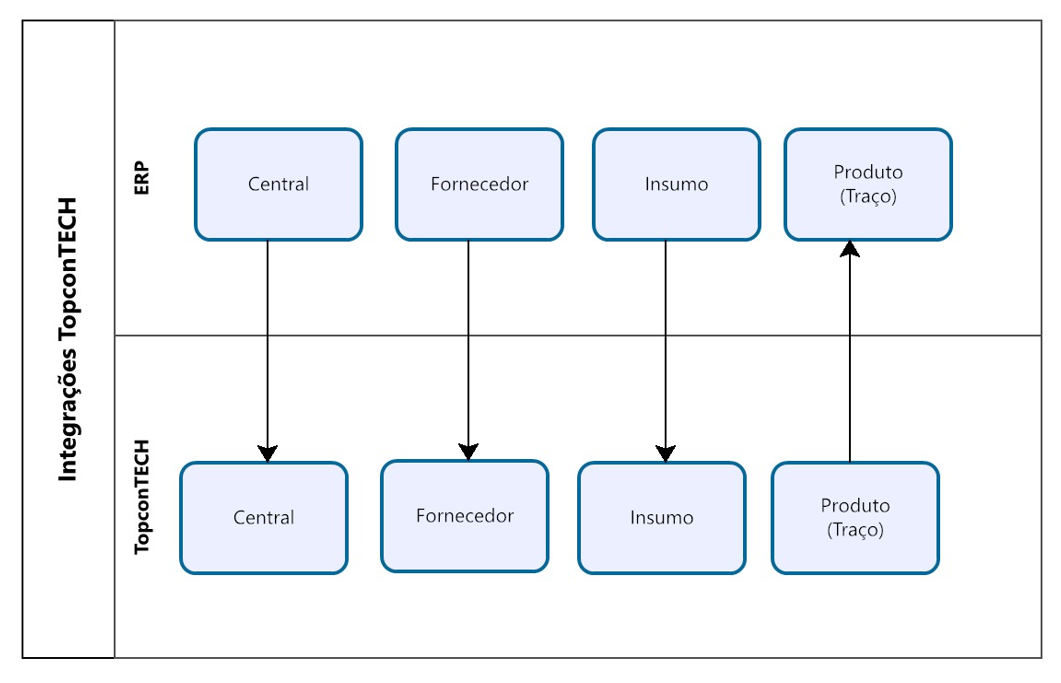
TopconTECH — ERP Integration Mapping
Shows how core resources (plants, suppliers, supplies, recipes) flow between ERP and TopconTECH.
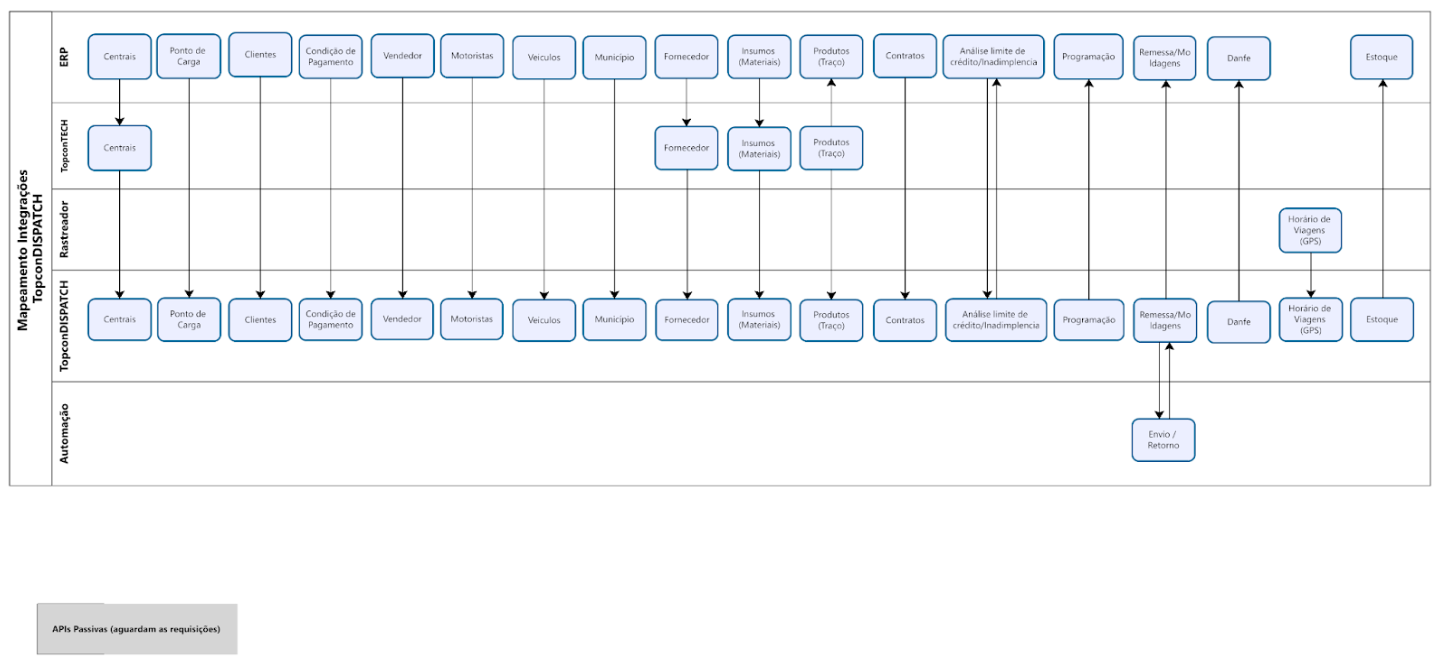
Combined Flows (TECH / CRM / DISPATCH)
Full integration flows showing how all Topcon Suite products work together with ERP, automation, and external systems.